A barcode reader (or barcode scanner) is a device that captures and decodes the information contained in a barcode, whether 1D, 2D or QR, and sends it to a computer system in real time. It is one of the most widely used devices in logistics, retail and healthcare and, increasingly, in event access control.
What is a barcode reader used for?
A barcode reader is used to identify products, people or documents quickly and without manual errors. Depending on the setting, its main uses include:
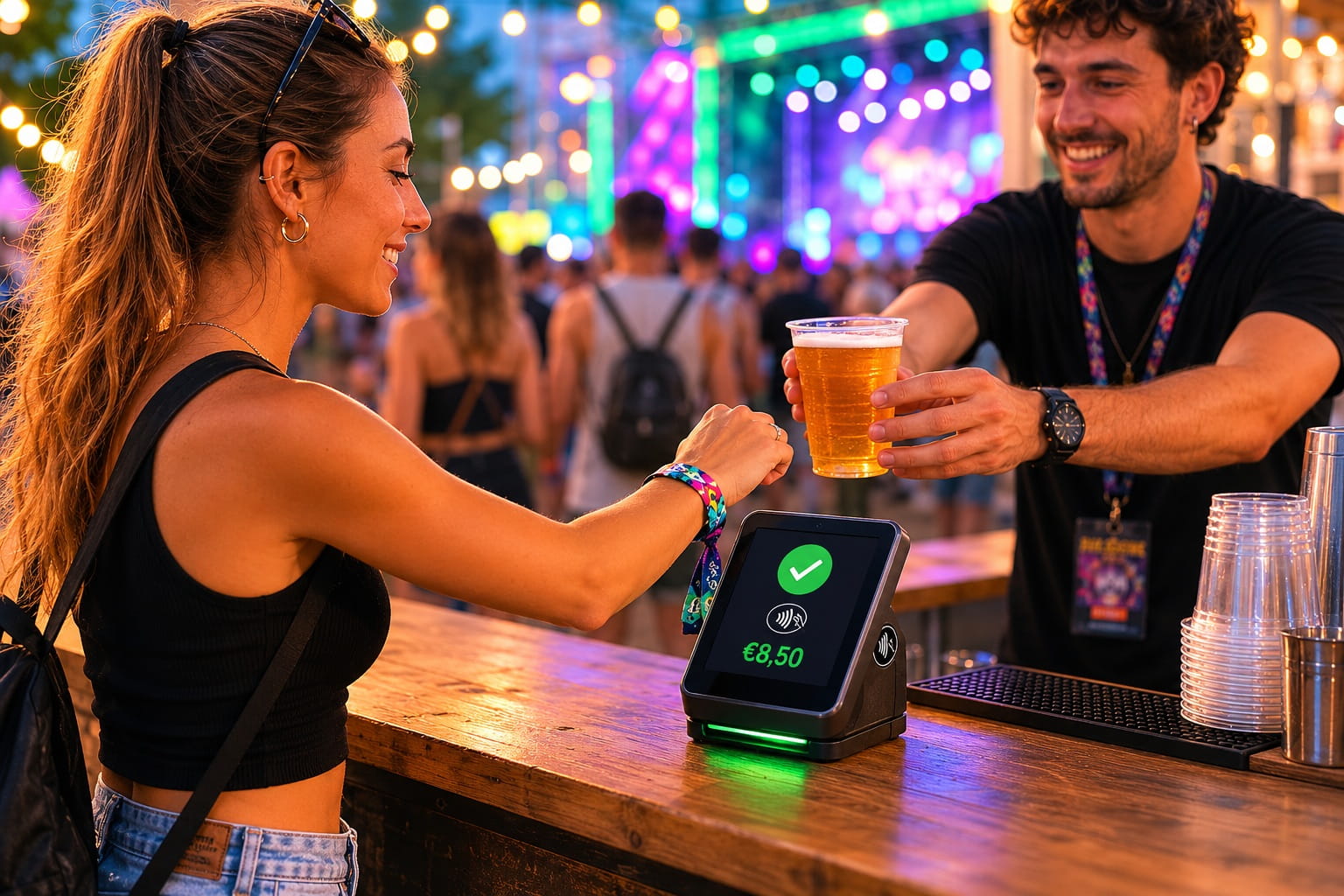
Identifying and validating tickets at events and concerts
Access control and accreditation at conferences and trade fairs
Inventory management in warehouses and shops
Patient registration in healthcare settings
Parcel tracking in logistics and transport
At events, the barcode reader is the core of the access control system. Without it, validating tickets would be manual, slow and prone to errors.
How does a barcode reader work?
A barcode reader works in three steps:
Illumination: the device shines light (laser or LED) on the code
Capture: a photoelectric sensor detects the pattern of bars or pixels
Decoding: the internal processor converts the pattern into readable data and sends it to the system
The whole process takes milliseconds, so hundreds of tickets can be scanned per minute at an event entrance without creating queues.
Types of barcode readers
There are several types of reader, depending on their format and technology.
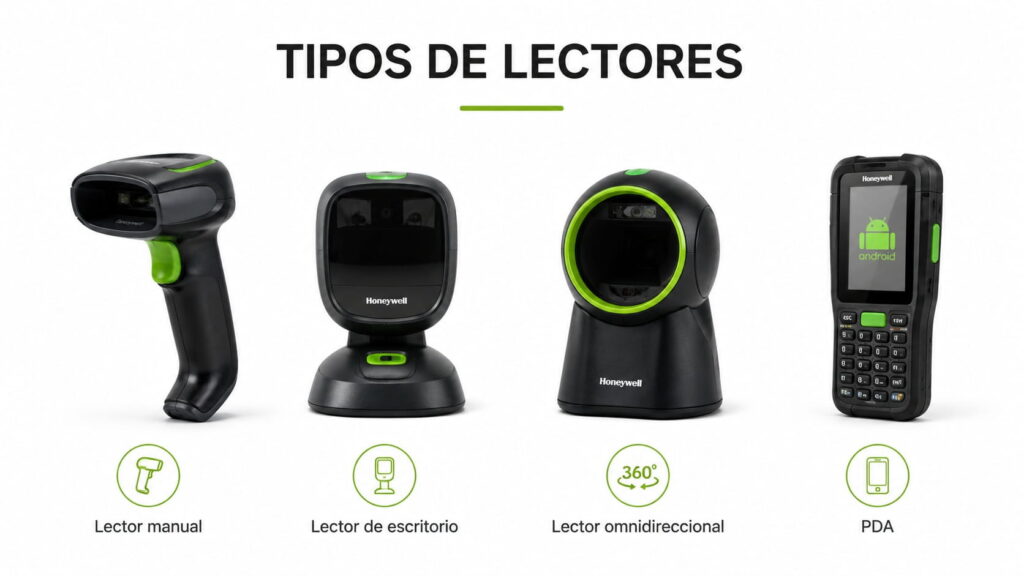
Handheld reader: the most common at events. Portable, ergonomic and compatible with 1D and 2D codes. Ideal for validating tickets at busy entrances.
Desktop reader: designed for accreditation desks. It reads the code automatically when the document passes in front of it, with no need to press a button. Models such as the Zebra DS9208 or the Honeywell Genesis 7580g are standard at conferences and trade fairs.
Omnidirectional reader: reads the code from any angle, so there is no need to line it up. Perfect for high-traffic points where speed is critical.
PDA with a built-in reader: combines a barcode reader, screen and connectivity in a single device. You can manage attendee lists, validate tickets and log incidents from the same device. Models such as the Honeywell EDA52 or the Zebra TC26 are the most widely used at professional events.
Where are barcode readers used?
Barcode readers are found in practically every sector:
Retail and supermarkets: identifying products at the till
Logistics and transport: tracking parcels and shipments
Healthcare: identifying patients and medicines
Events and live entertainment: validating tickets and controlling access
In all of these settings the common denominator is the same: speed, accuracy and traceability.
How do you scan a barcode at an event?
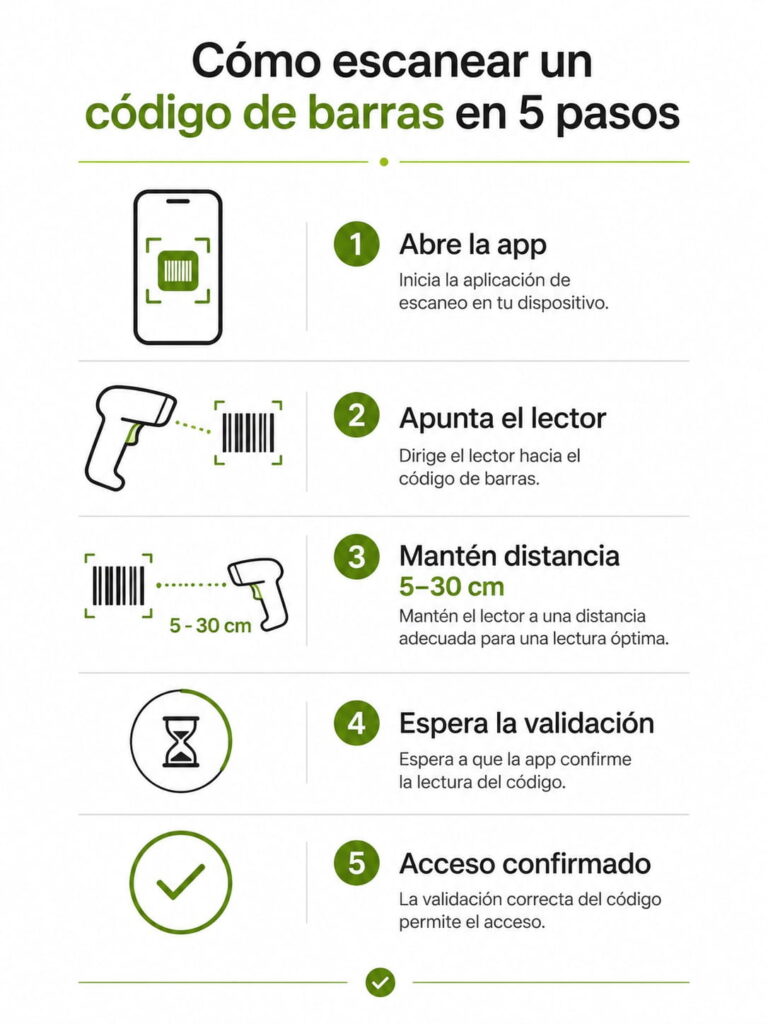
Scanning a barcode at an event is simple and can be done with a handheld reader, a PDA or even a smartphone with the right app:
Open the access control app or connect the reader to the management system
Point the reader at the barcode or QR code on the ticket
Keep a distance of 5 to 30 cm, depending on the reader model
The system validates the ticket in real time: green if it is valid, red if it is fake or has already been used
The attendee enters the venue
For the most reliable scanning in bright light, or with tickets shown on a phone screen, 2D imager readers such as the Honeywell Voyager 1470g perform better than traditional laser readers.
How do you reset a barcode reader?
The process for resetting a barcode reader varies by manufacturer, but in general:
Honeywell: hold down the scan button for 40 seconds until the indicator flashes
Zebra: open the configuration menu from the 123Scan app, or scan the reset code in the manual
Generic USB readers: unplug the cable and plug it back in. If the problem persists, scan the “factory reset” code in the user manual
If you have questions about a specific model, contact our technical team. Support is included in all our rental services.
Barcode readers for events
At events, barcodes are the standard for validating tickets and controlling access. A well-configured system lets you:
Validate QR codes and 1D and 2D barcodes
Detect duplicate or fake tickets in real time
Record the entry time of each attendee
Check capacity in real time from any device
Produce attendance reports when the event closes
Exyt sells Honeywell and Zebra readers, the same devices we use at our own events, so you can rely on them even when demand is high.
Barcode reader rental for events
If you need barcode readers for a one-off event, renting is the most efficient option: no investment in hardware, no maintenance and technical support included.
At Exyt we offer barcode reader rental for companies and event organisers, with coordinated delivery and set-up done in advance. We have handheld readers, desktop readers and PDAs with built-in readers for any type and size of event.
Frequently asked questions
What is a barcode reader?
A barcode reader is an electronic device that captures and decodes the information contained in a barcode and sends it to a computer system in real time.
What is a barcode reader used for at events?
At events it is used to validate tickets, detect duplicates or forgeries, control capacity and record attendance automatically and in real time.
Where are barcode readers used?
They are used in retail, logistics, healthcare, industrial warehouses and events: anywhere products, documents or people need to be identified quickly and reliably.
How do you scan barcodes at events?
With a handheld reader or PDA connected to the access control system. The process is instant: the reader validates the ticket in milliseconds and shows the result on screen.
Is it better to rent or buy a barcode reader for an event?
For one-off events, renting is more efficient: no upfront investment, technical support included and equipment that is always up to date.